
Get started with Slack instant messaging
Slack is an instant messaging tool designed to help you collaborate effectively with your academic mentor and peers. Each course will have its dedicated channel accessible from the course home page. Stay connected and ensure you never miss a notification by downloading both the desktop and mobile applications.
Installation
-
Open the link https://slack.com/downloads/. The system will detect automatically your Operational System. The following example is for Windows OS.
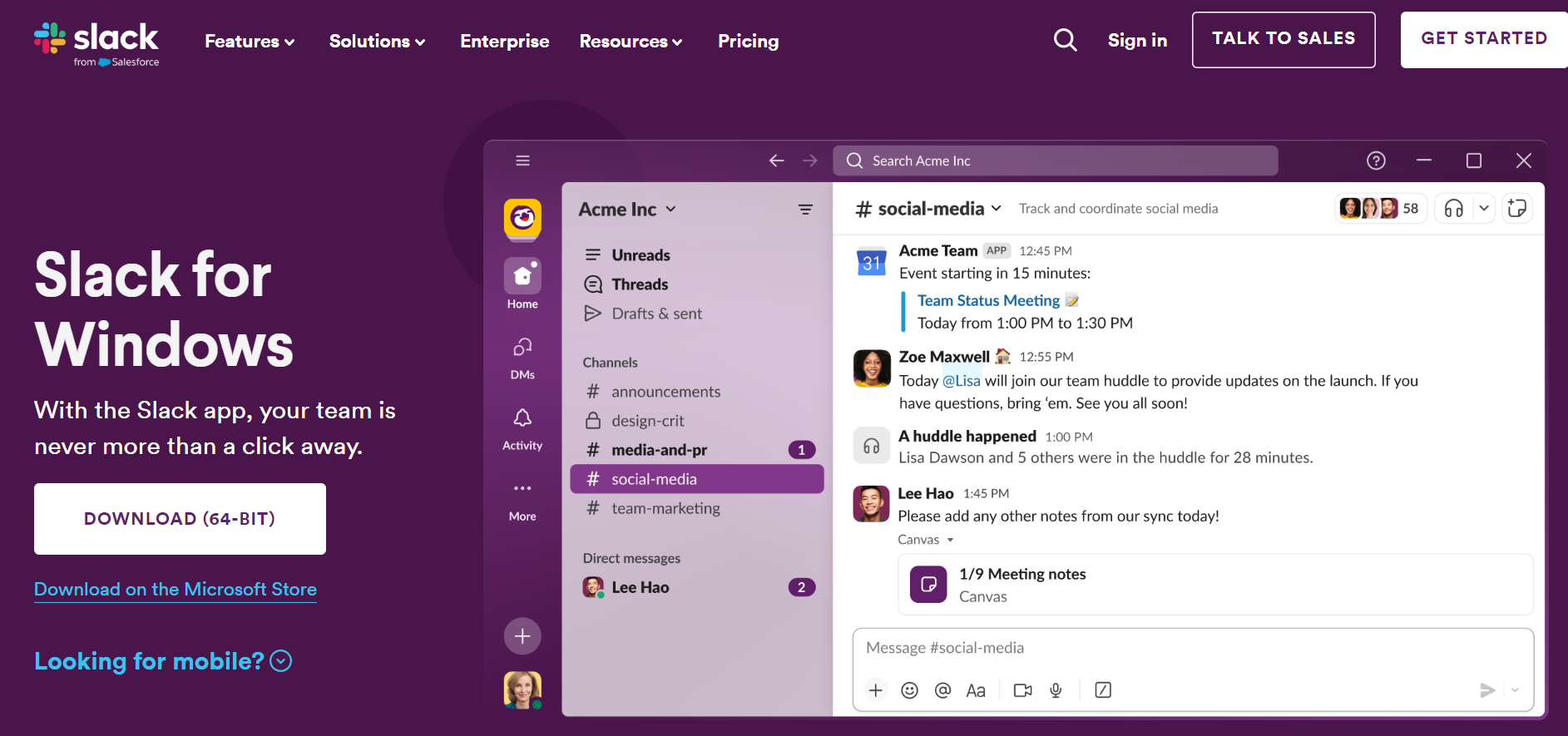
- Click on Download button. It will launch the downloading of the .exe file.
- Once it's downloaded, install it on your PC following the required steps.
Note: you can also download the Android or iOS application in the respective Application Store.
First time configuration
From the Online Campus, choose Instant messaging then click on Sign in with OneLogin and agree the Terms of Use.
Please note that the workspace name is eol-programmes.slack.com
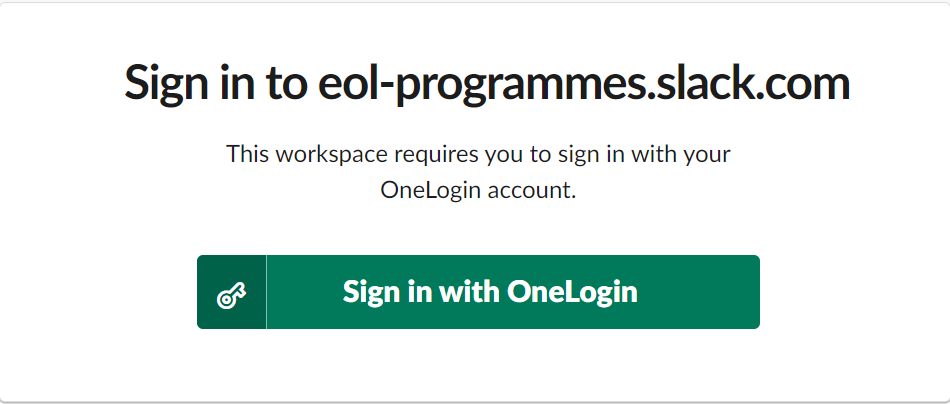
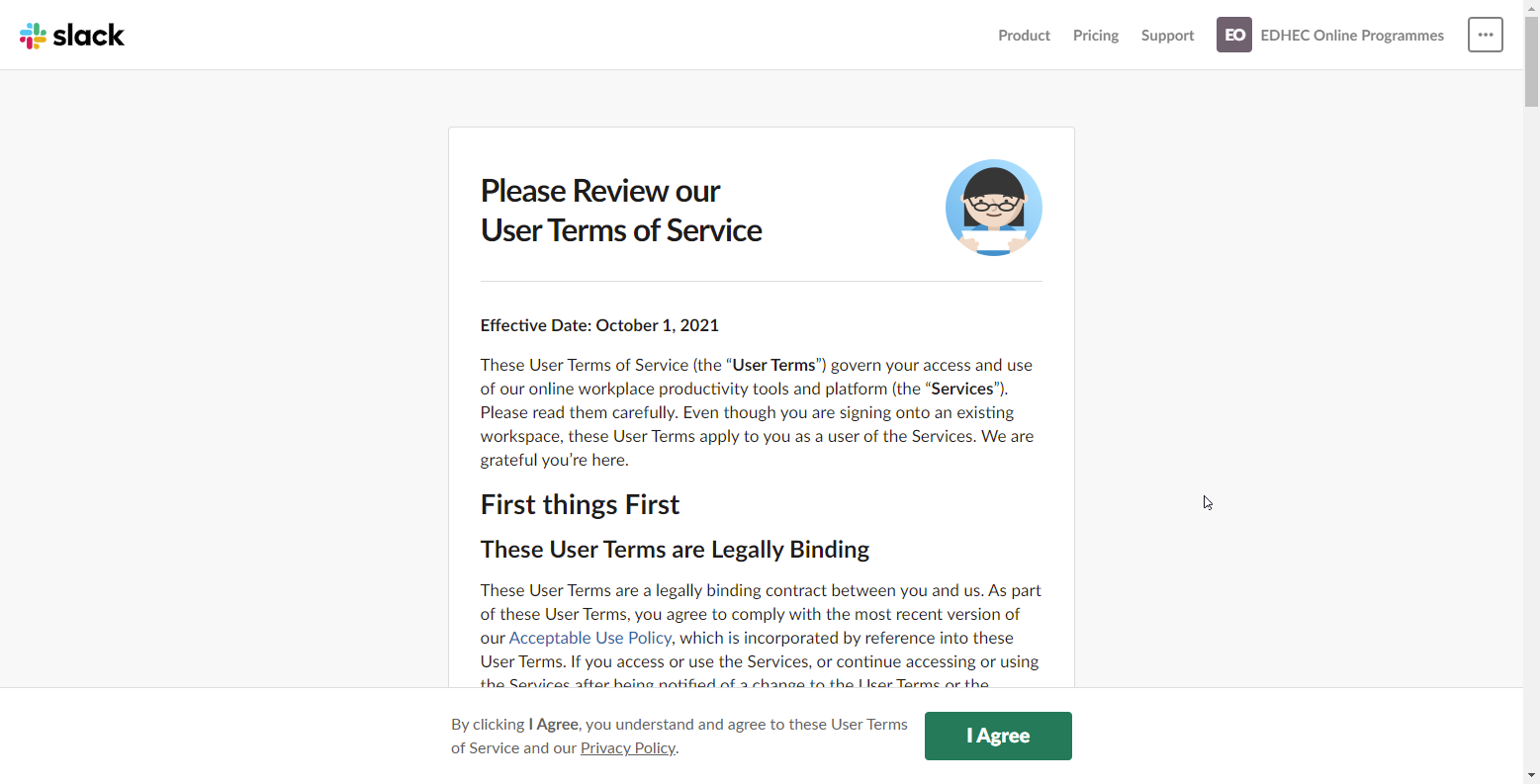
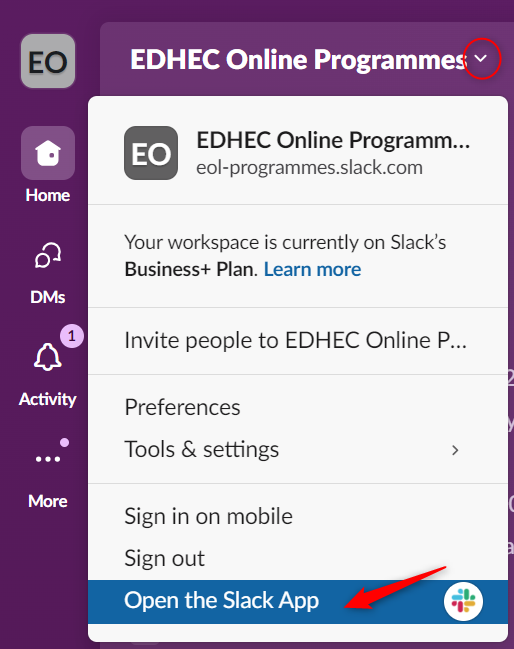
Finally, click on Open the Slack App to access your workspace from your installed application.
Quick Start Guide to Slack
Now you're all set to communicate effectively on Slack, enhancing collaboration and productivity.